Hi-School logoHi-SchoolHisoft IT Solutions Pvt. Ltd.
Nursery to 12th & College

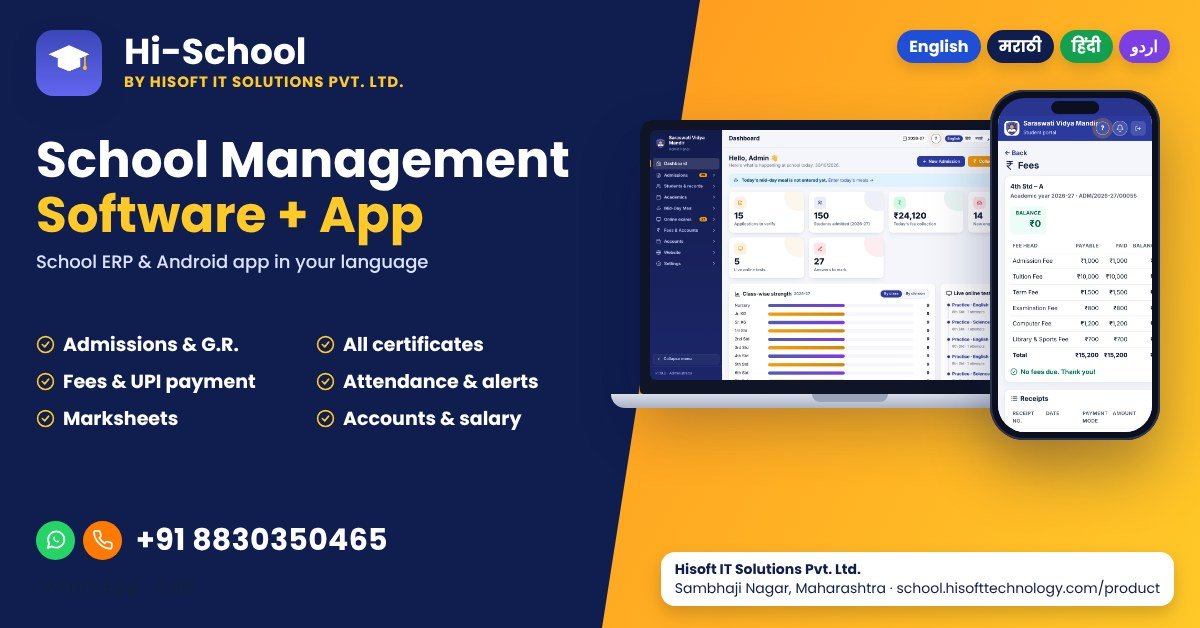
Hi-School — School management software + mobile app

Admissions, certificates, fees, attendance, results, accounts and the parent app — one simple system, in your language.

Developed by: Hisoft IT Solutions Pvt. Ltd.
4 languages
7 user roles
15+ printed documents
Web + Android app
Hi-School dashboard
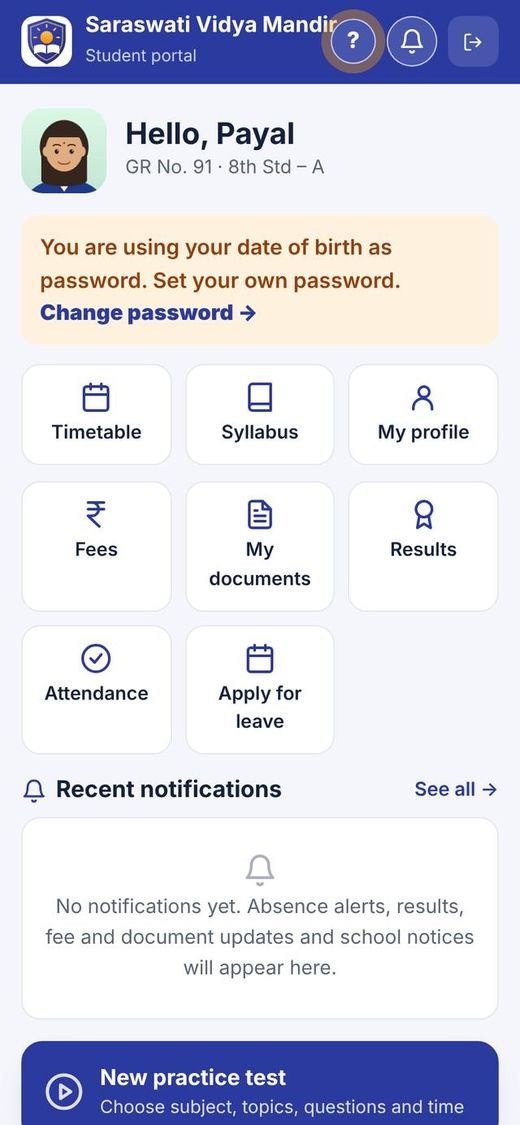
Hi-School Android app

Product tour: a school day in Hi-School

Follow the software end to end — from admission to accounts — screen by screen.
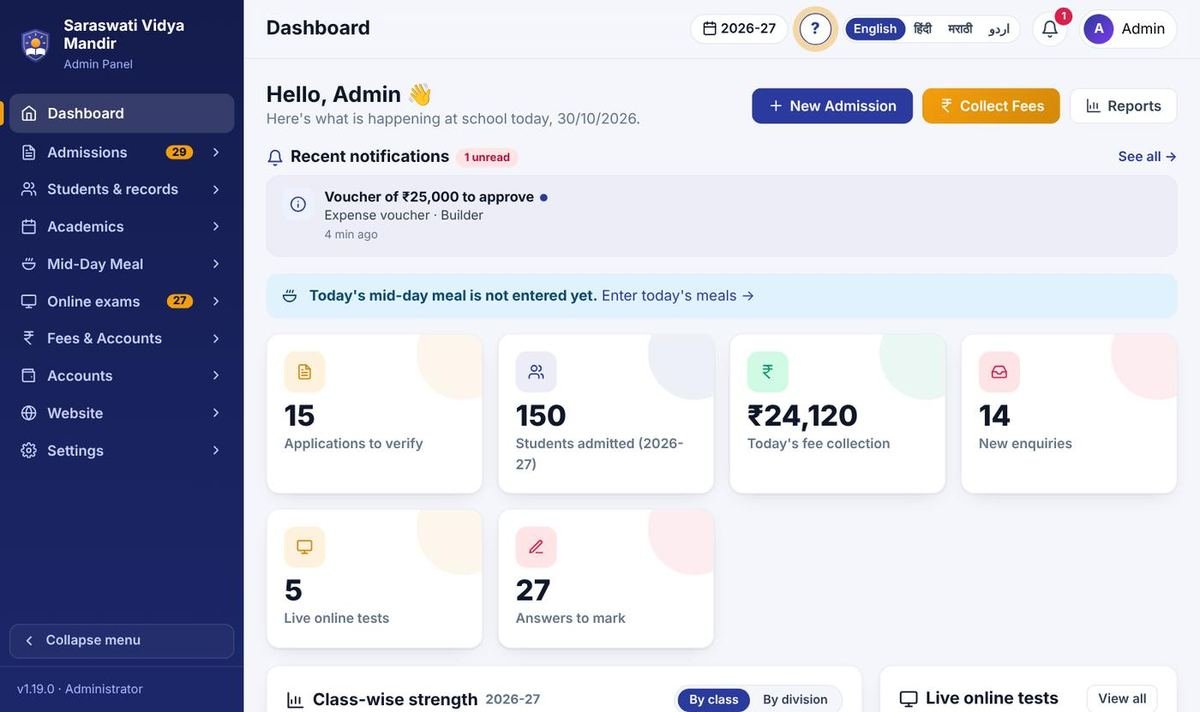
Hi-School — Dashboard
Step 1

Dashboard

The first screen after you sign in. It shows today's numbers for your role: admissions waiting, students, today's fee collection, enquiries, live tests and your classes today.

  1. Look at the coloured boxes (KPIs) for today's figures.
  2. Click any box to open the full list behind it.
  3. Use the buttons at the top for daily work, e.g. New admission or Collect fees.
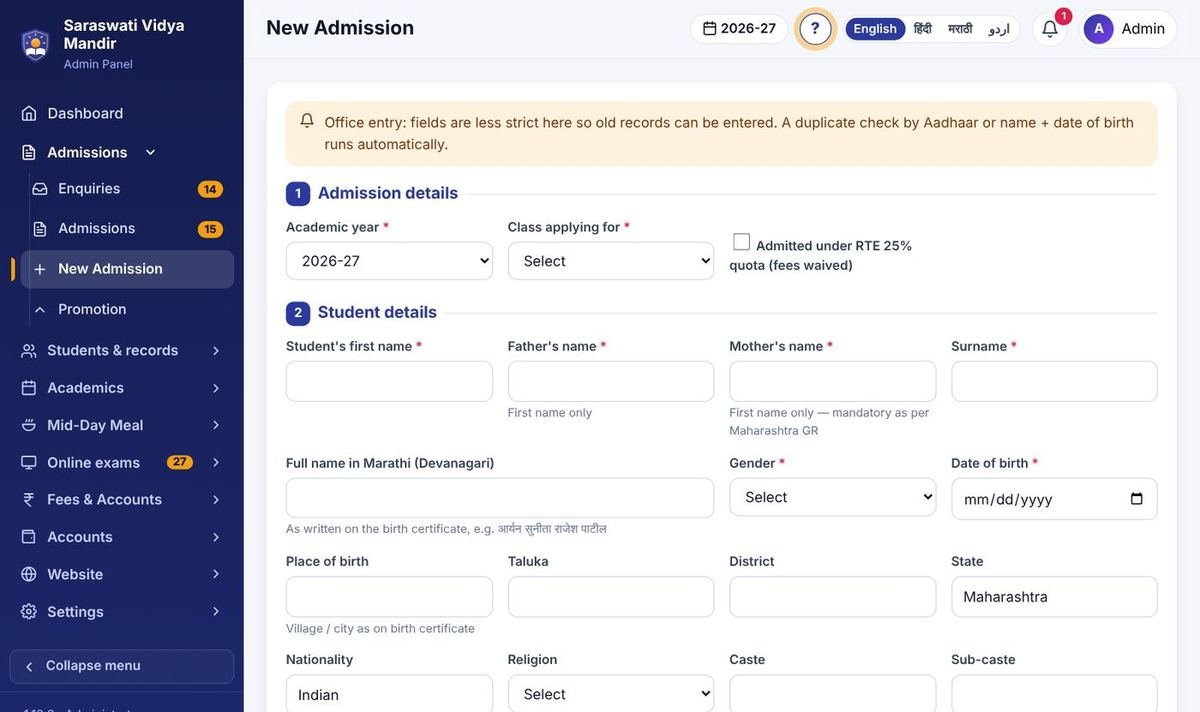
Hi-School — New admission (office)
Step 2

New admission (office)

The admission form filled by the office for a parent who came to school.

  1. Fill the student details exactly as on the birth certificate (English and Marathi name).
  2. Fill parents, address, caste/category, Aadhaar and previous school.
  3. Choose the class; if you may approve, choose division and GR (or tick "Assign GR number later").
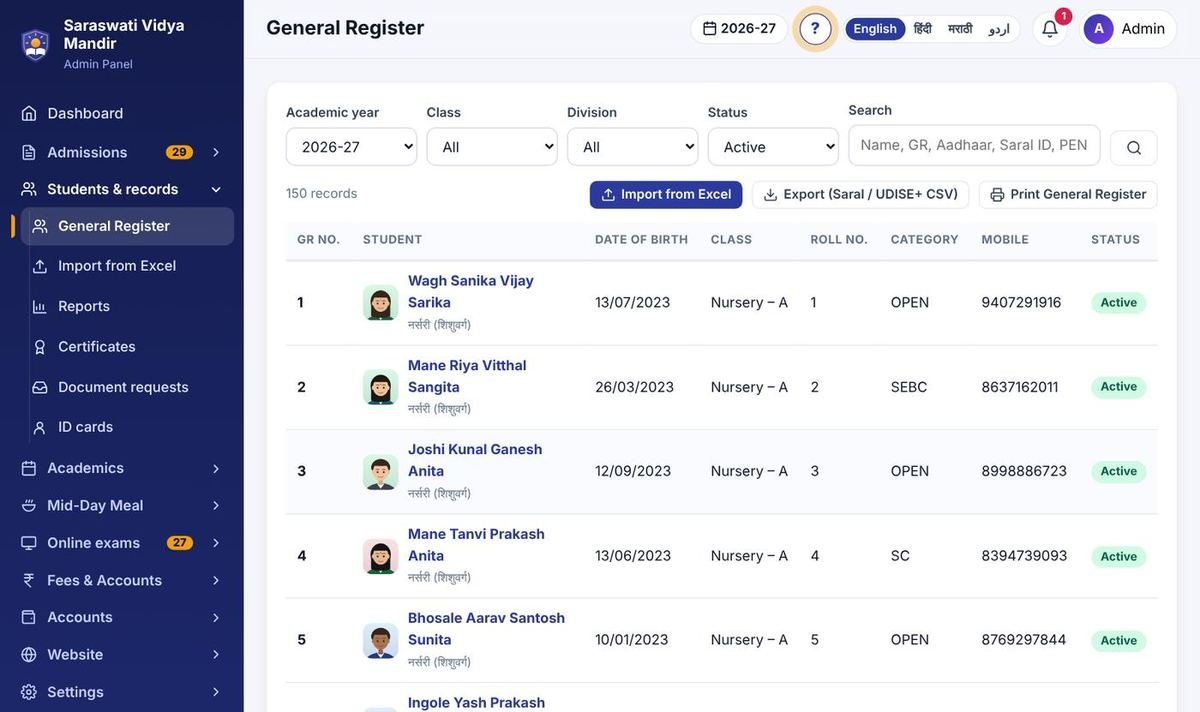
Hi-School — Students
Step 3

Students

List of all students with search and filters; export to Excel and print the General Register.

  1. Search by name, GR number, Aadhaar or mobile.
  2. Filter by class, division, status or category.
  3. Click a name to open the student page.
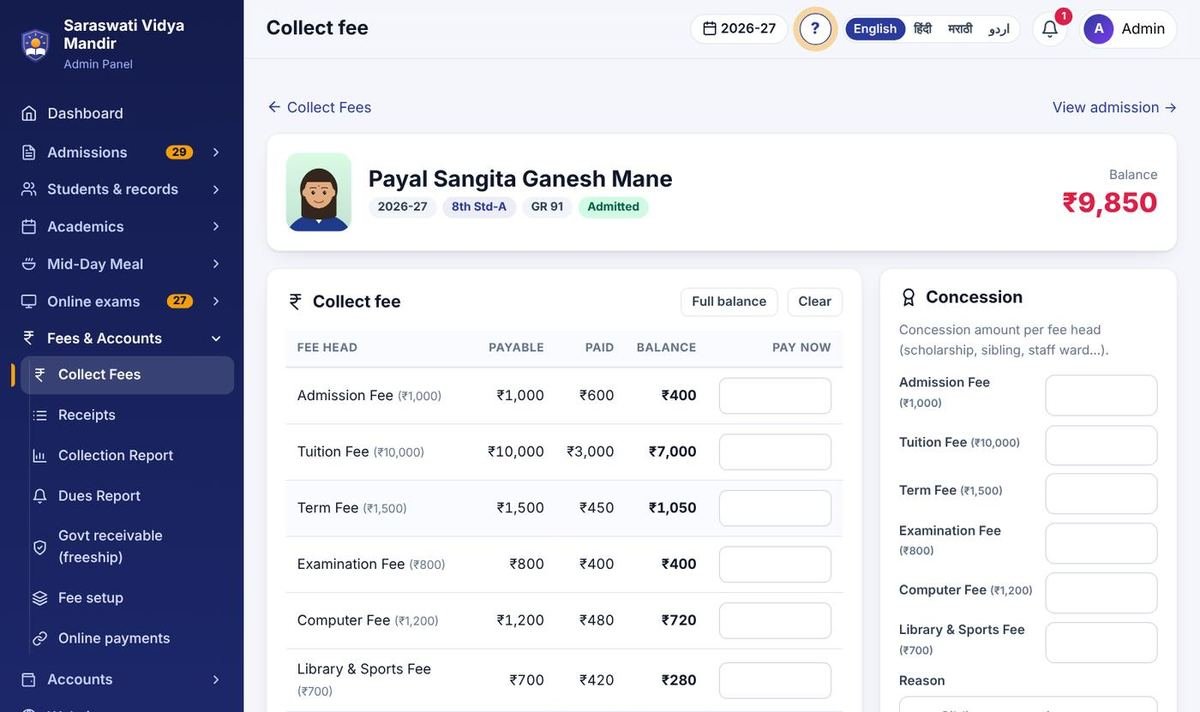
Hi-School — Collect fees
Step 4

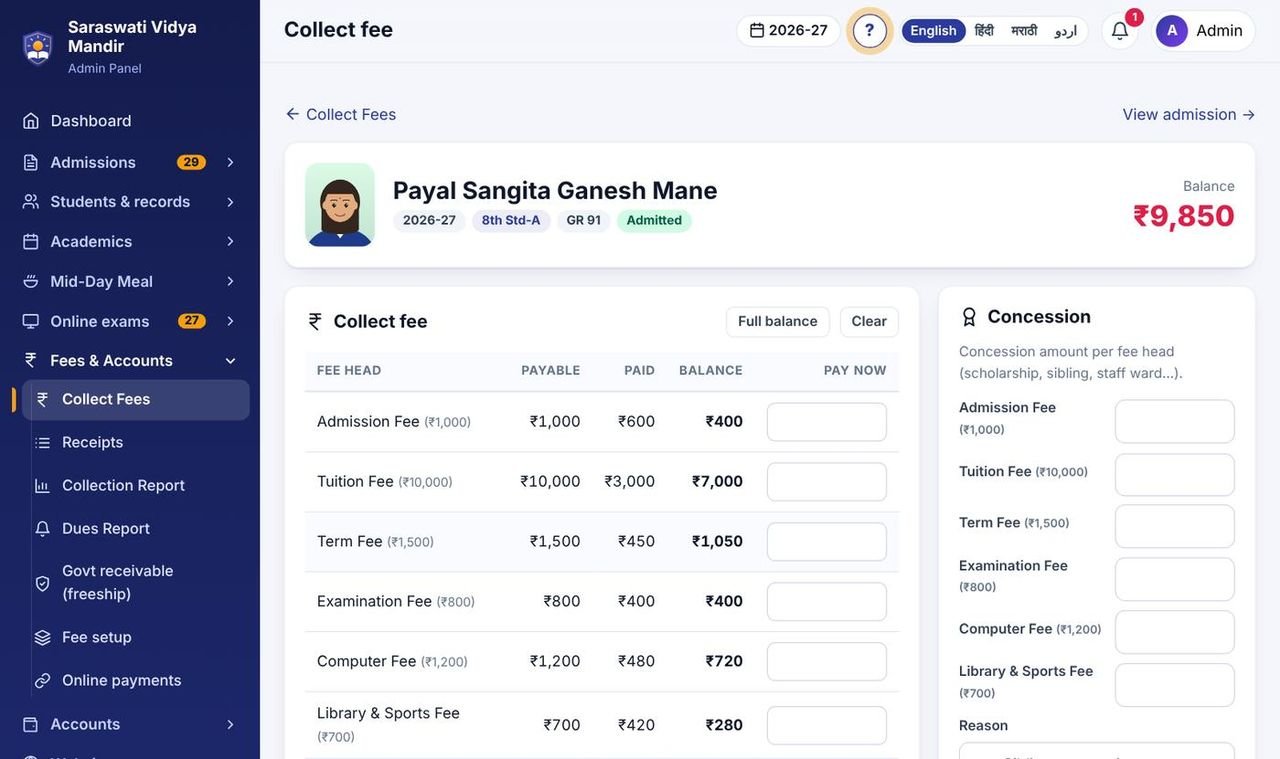
Collect fees

Fee account of one student: heads, total, government share, paid and balance; take payment and print the receipt.

  1. Check the balance of each fee head.
  2. Type the amount for the heads being paid now.
  3. Choose payment mode (cash, UPI, cheque, bank) and reference number.
Hi-School — Fees
Step 5

Fees

Your fees: total, paid and balance per fee head, Pay now, and all your receipts.

  1. Check the balance.
  2. Type the amount (full or part) and your mobile number.
  3. Press Pay now and pay by UPI, card or net banking on the Cashfree page.
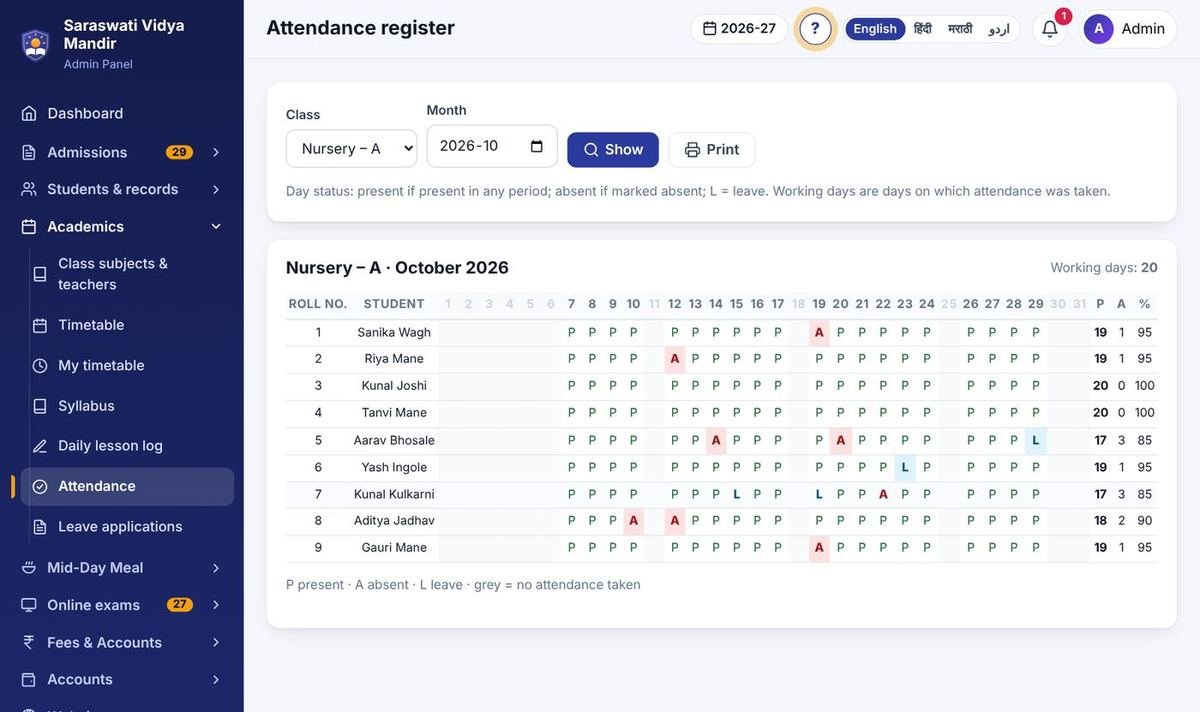
Hi-School — Attendance register
Step 6

Attendance register

Month-wise register (muster) of a division: P, A or L for every student and day, with totals and percentage.

  1. Choose the class and month.
  2. Read the totals and % at the right.
  3. Press Print for the signed monthly register.
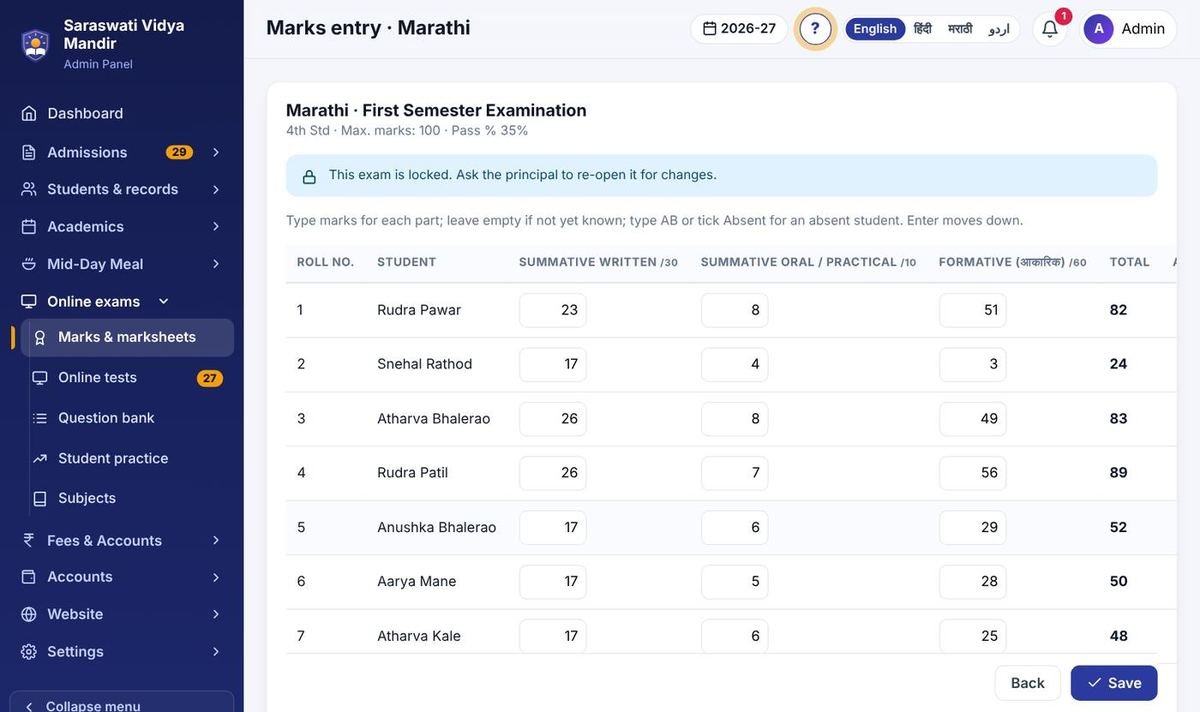
Hi-School — Marks entry
Step 7

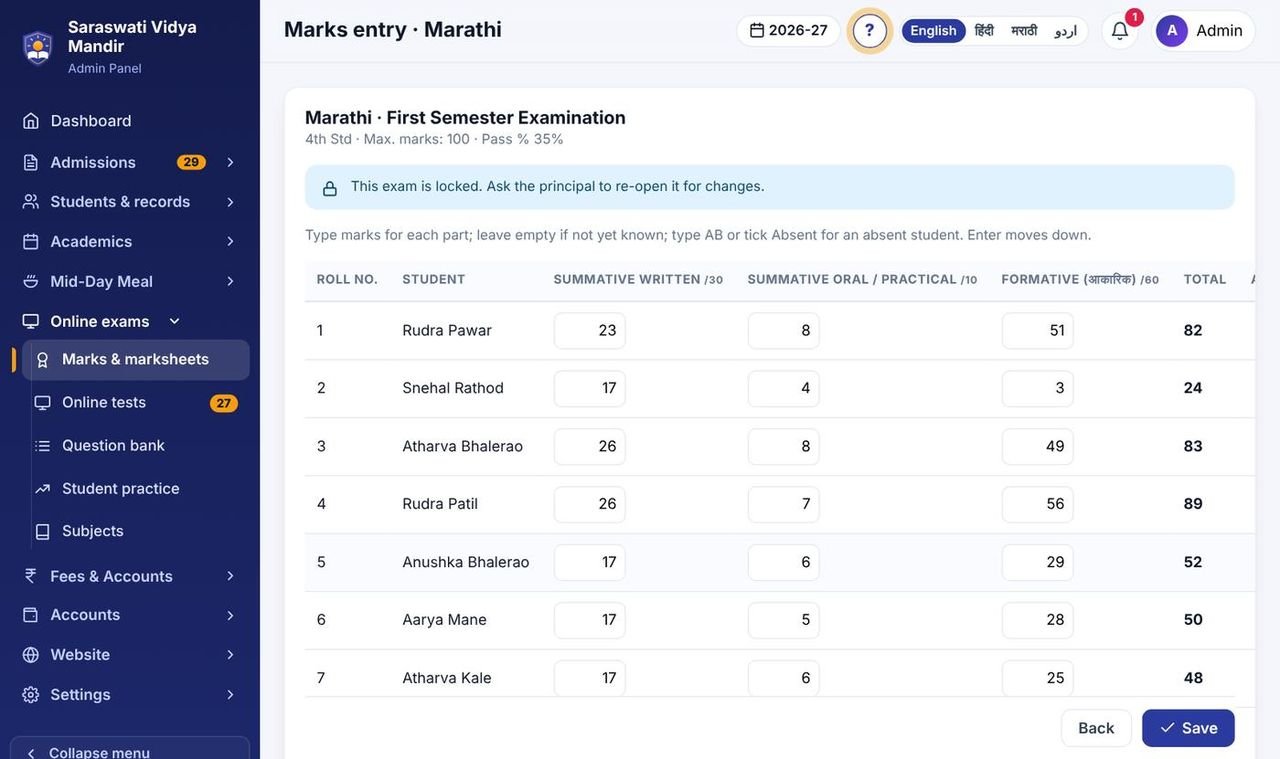
Marks entry

Marks of one subject for one division, part by part.

  1. Type the marks; Enter moves down the column.
  2. Type AB or tick Absent for an absent student.
  3. A red box means more than the maximum.
Hi-School — Exam result
Step 8

Exam result

Result sheet of a division: marks of every subject, total, percentage, grade, rank and result.

  1. Choose the division.
  2. Red marks are below the pass percentage.
  3. Print one student's marksheet with the printer button, or all with Marksheets.
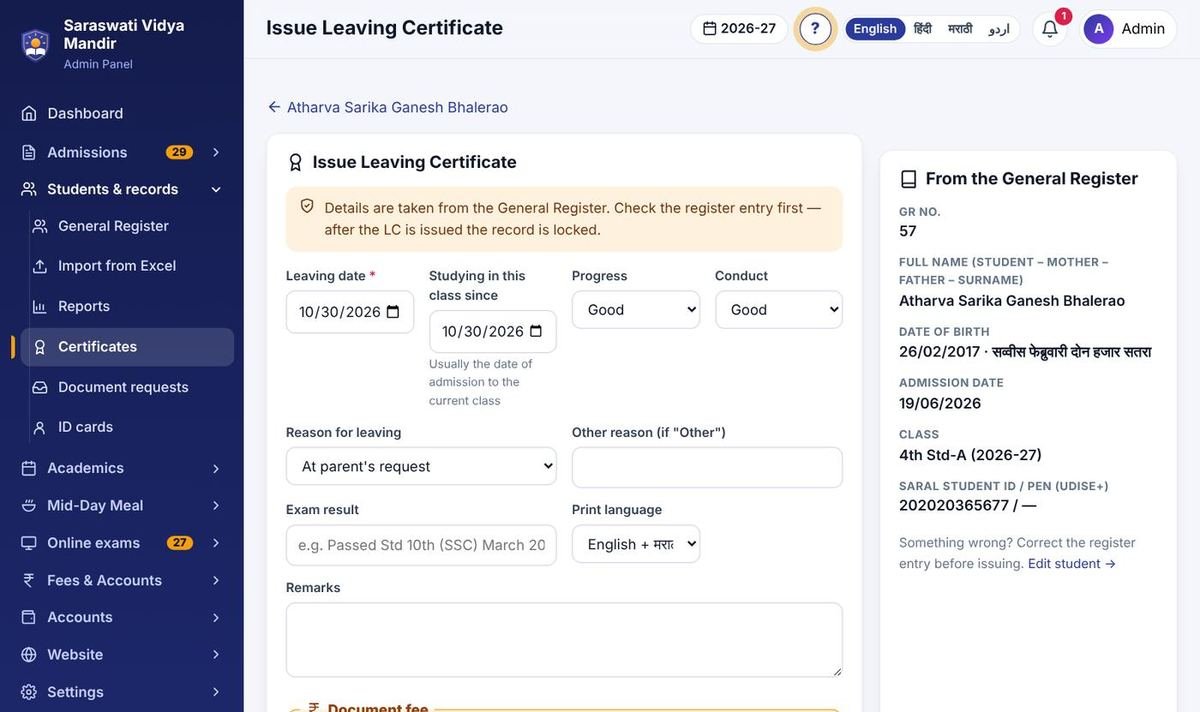
Hi-School — Leaving certificate
Step 9

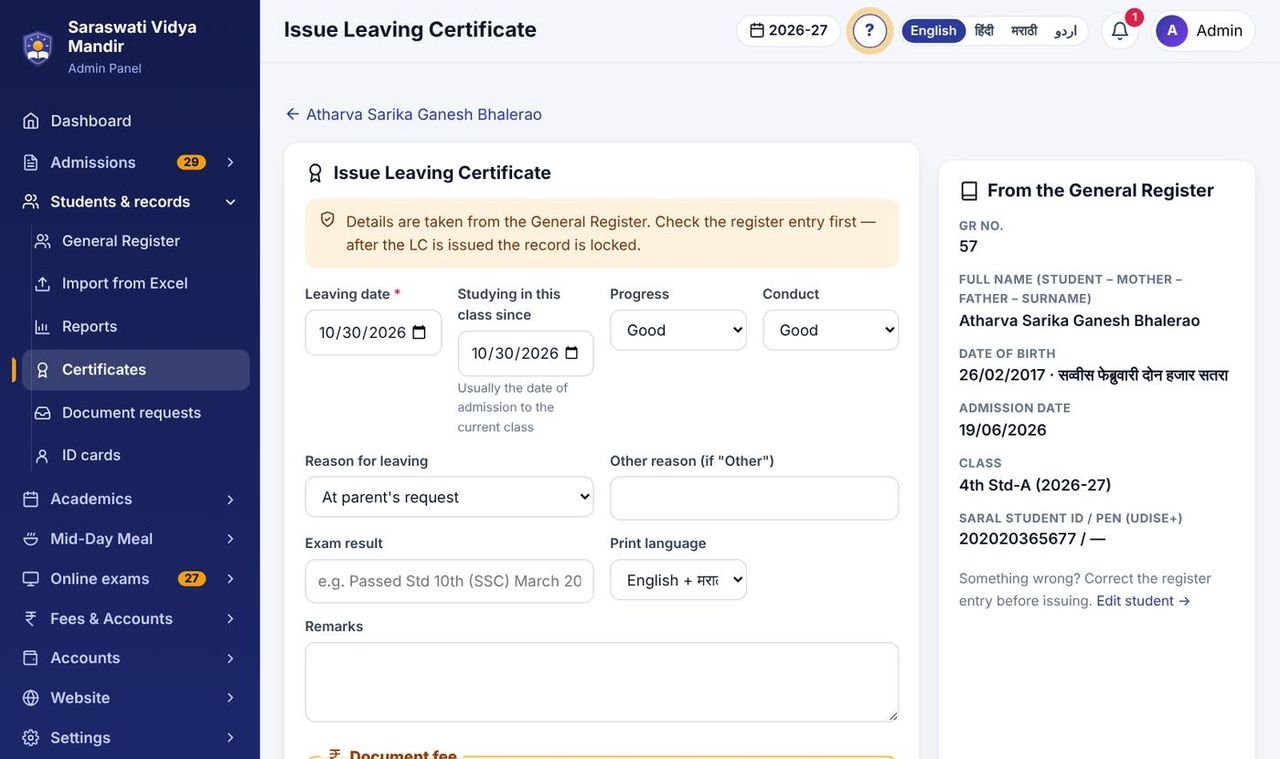
Leaving certificate

Form to issue the school leaving / transfer certificate in the state format.

  1. Check the details taken from the General Register.
  2. Fill leaving date, reason, conduct, progress and remarks.
  3. Send for approval (or approve if you are the principal).
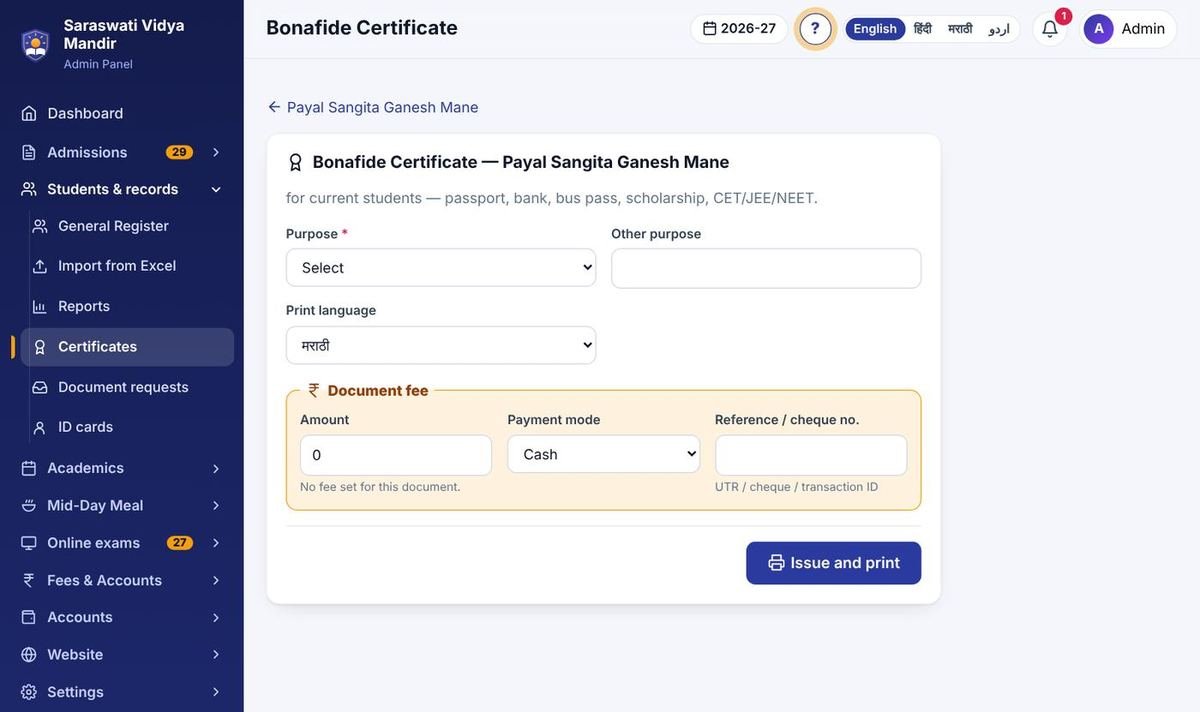
Hi-School — Bonafide / Nirgam Utara
Step 10

Bonafide / Nirgam Utara

Issue a bonafide certificate or a General Register extract (Nirgam Utara) for a student.

  1. Choose the purpose (passport, bank, scholarship, Swadhar, caste validity…).
  2. Choose print language (Marathi, English or both).
  3. Collect the fee if asked.
Hi-School — Test results
Step 11

Test results

Marks of every student, ranks, question-wise analysis; export and print.

  1. See who wrote and who is absent.
  2. Open an answer sheet to grade subjective answers.
  3. Export CSV or print the result sheet.
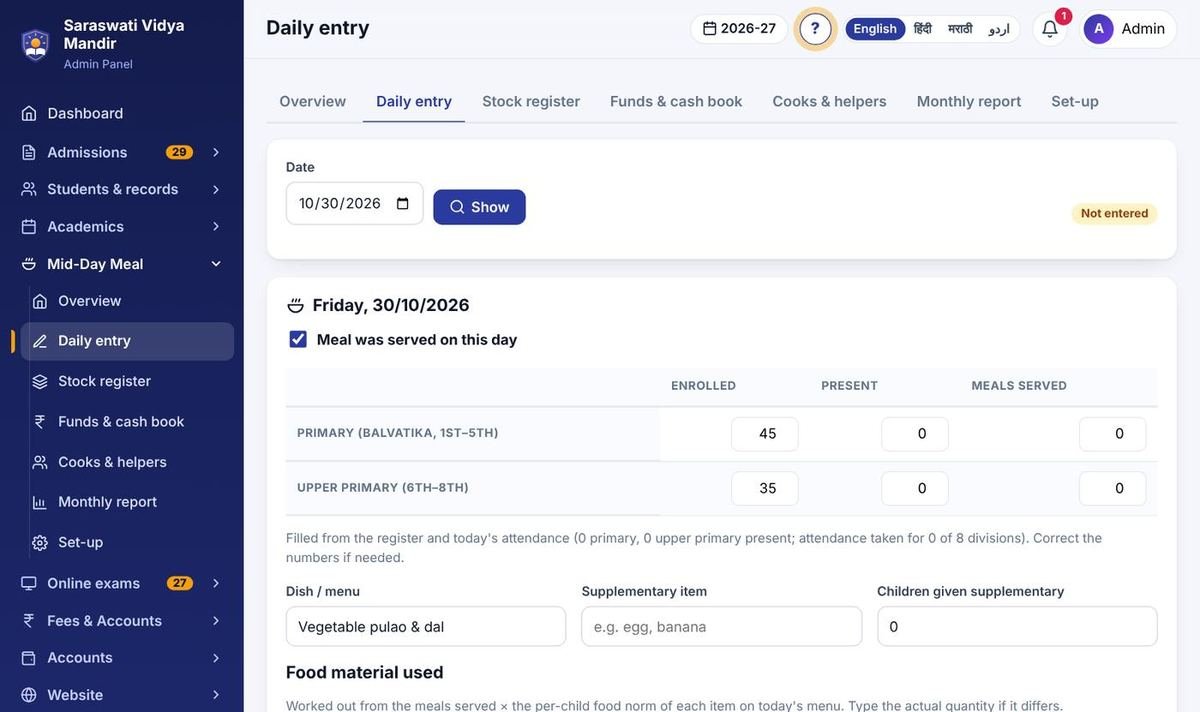
Hi-School — Mid-Day Meal — daily entry
Step 12

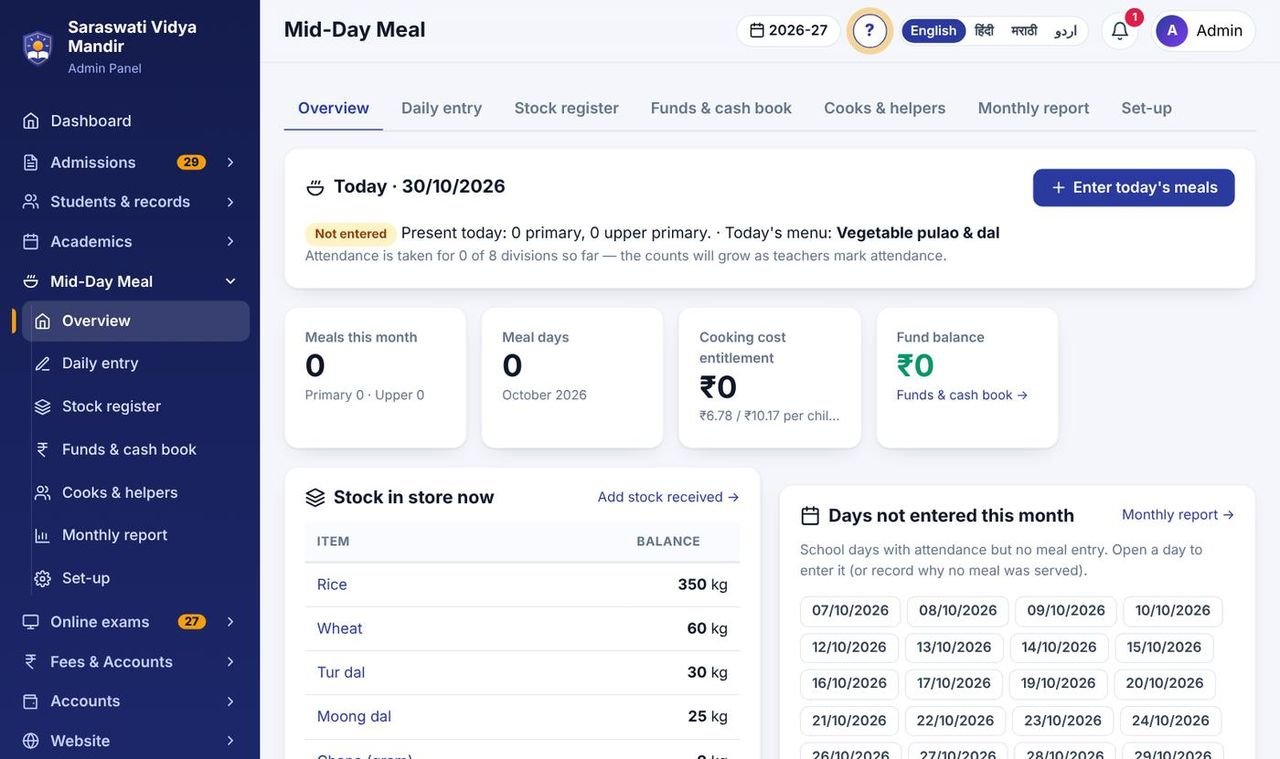
Mid-Day Meal — daily entry

The day's meal register: enrolled, present and meals served for Primary (Balvatika, 1st–5th) and Upper primary (6th–8th), the dish, the food used, the supplementary item and who tasted the food.

  1. Pick the date (today is chosen).
  2. Enrolled and present are filled from the register and today's attendance — correct them if needed.
  3. Type meals served for each group; the food used is worked out from the per-child norms of today's menu.
Hi-School — Accounts — new voucher
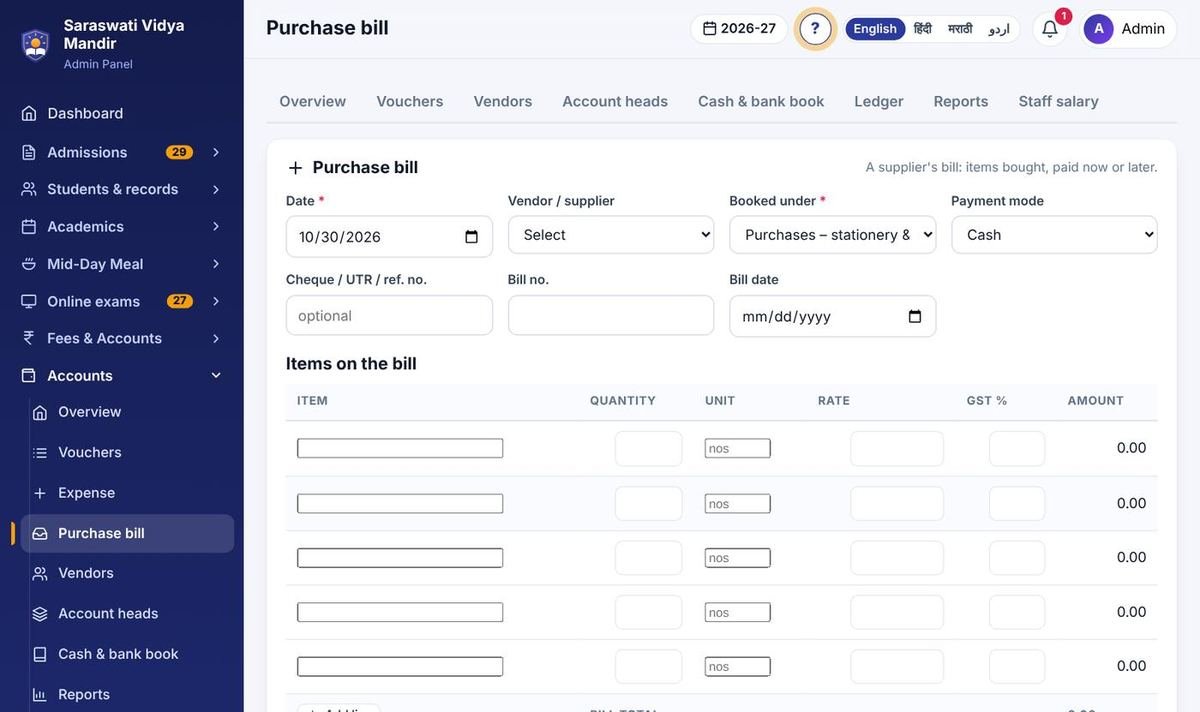
Step 13

Accounts — new voucher

Form for one voucher. Expense: money spent on a head. Purchase: a supplier's bill, paid now or later. Payment: vendor dues or advances. Receipt: grants, donations, interest. Contra: cash ↔ bank. Journal: adjustments.

  1. Choose the date, the account and where the money came from or went.
  2. Type the amount, party, cheque / UTR number and a short narration.
  3. For a purchase, add each item with quantity, rate and GST; type what is paid now — the rest stays due to the vendor.
Hi-School — Accounts — reports
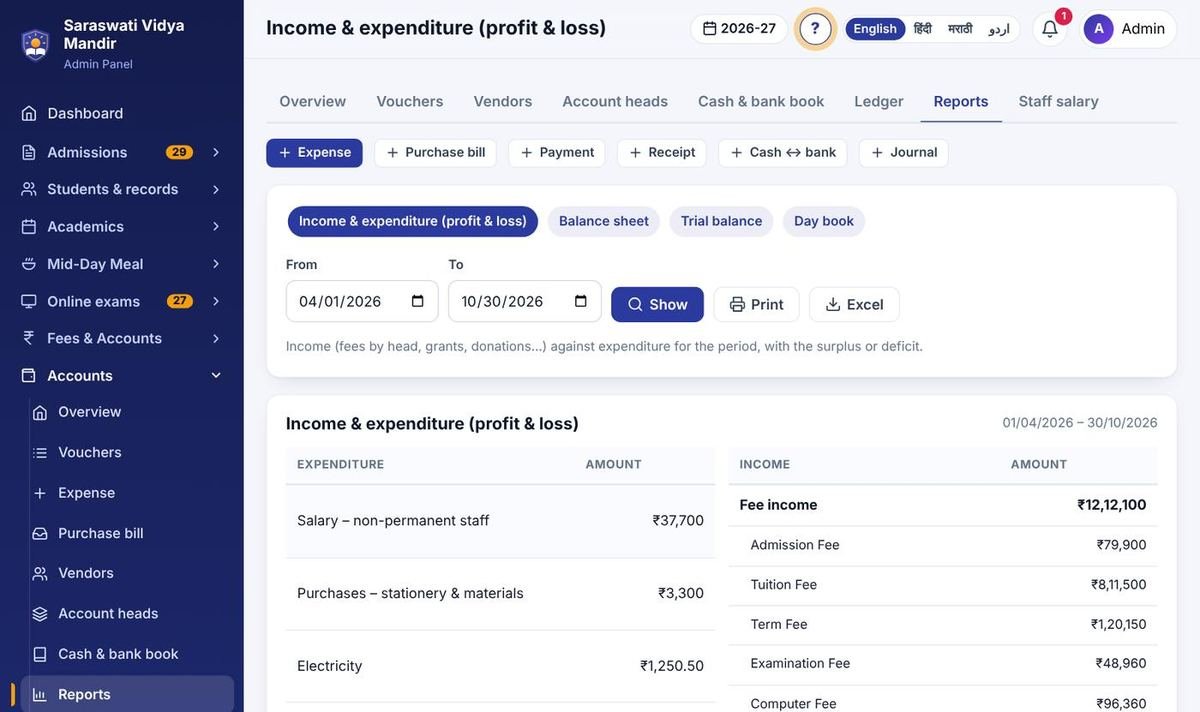
Step 14

Accounts — reports

Income & expenditure (profit & loss), balance sheet, trial balance and day book for any period.

  1. Choose the report and the dates (the balance sheet and trial balance are "as on" a date).
  2. Fee income is split by fee head.
  3. Print with signature lines or download all four reports to one Excel file.
Hi-School — Notices
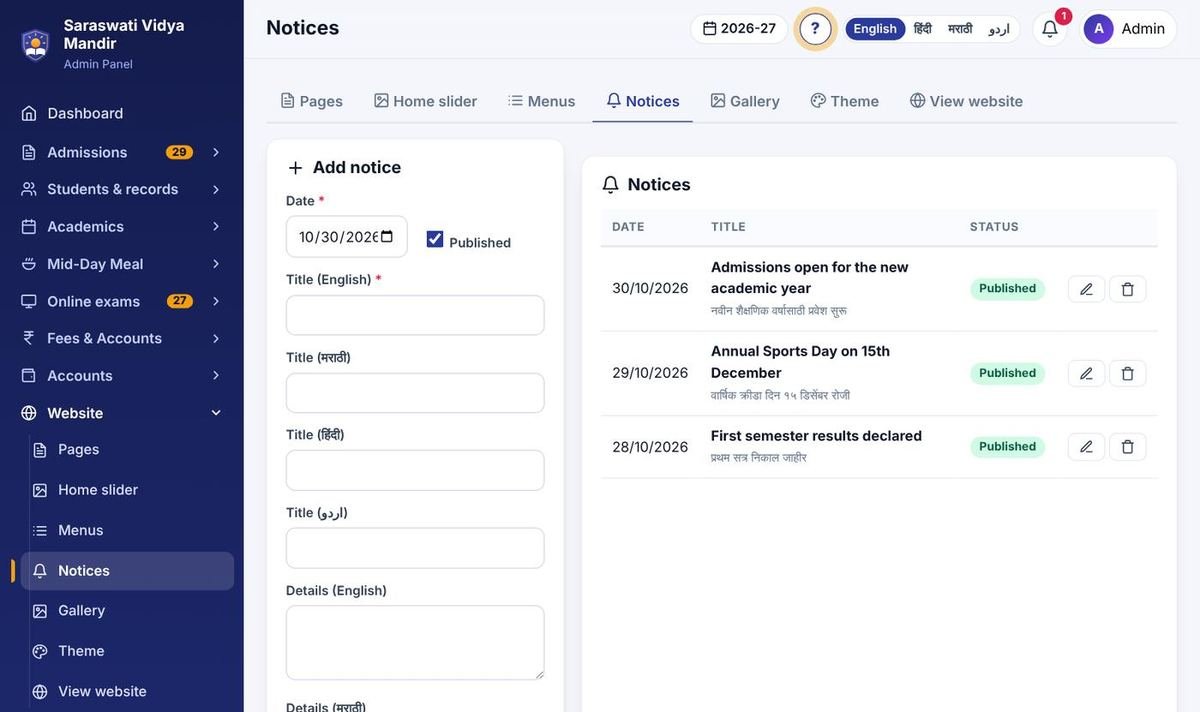
Step 15

Notices

Circulars and announcements shown on the website and in the app.

  1. Click New notice, write title and text (three languages optional).
  2. Set publish date; attach a PDF if needed.
  3. Save.
Hi-School — Student home
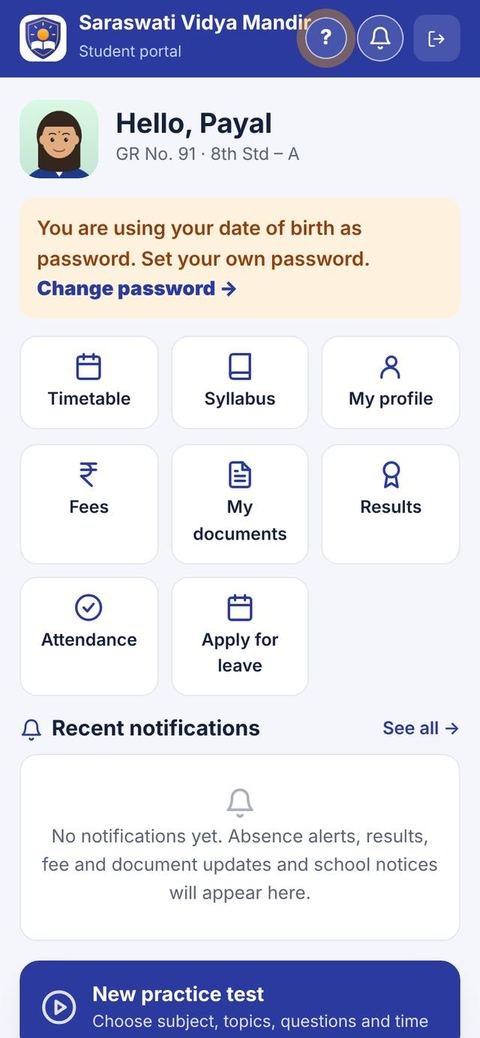
Step 16

Student home

Your day at school: today's classes, what to prepare, tests, practice and results.

  1. Tap Turn on to get class reminders.
  2. See today's timetable and what to prepare.
  3. Start a test when it is open, or a practice test any time.

Everything your school runs on

One login for every person, the right screens for each role.

Admissions & digital G.R.

Online forms, enquiries, auto GR numbers, General Register print and Excel import.

Certificates in one click

LC, Bonafide, Nirgam Utara, character, attendance, Form 15A — Marathi, English or both.

Fees & UPI payment

Fee heads, concessions, RTE, receipts, dues and online payment by UPI, card or net banking.

Attendance & alerts

Daily or period-wise attendance on mobile; parents get an instant absence alert.

Marks & report cards

Unit tests and term exams, marks entry, remarks, marksheets and annual progress cards.

Online practice tests

Question bank, timed tests with negative marking, results, leaderboards and certificates.

Mid-Day Meal (PM POSHAN)

Daily meal count from attendance, stock register, funds, cooks and the monthly report.

Accounts & salary

Expenses, purchases, vouchers, cash book, ledgers, P&L, balance sheet and staff salary.

School website

Ready website with notices, gallery, slider, pages and online admission.

Government exports

Excel for UDISE+, Saral, MahaDBT and APAAR, with help for every portal.

Simple for everyone in school

Owner / AdminFull control, users, permissions, activity log
PrincipalApprovals, today's attendance and fees, results
ClerkG.R., admissions, certificates, government data
AccountantFees, expenses, salary, ledgers, P&L
TeacherAttendance, marks, timetable, online tests
ParentAbsence alerts, online fees, results, notices
StudentTimetable, results, practice tests, requests

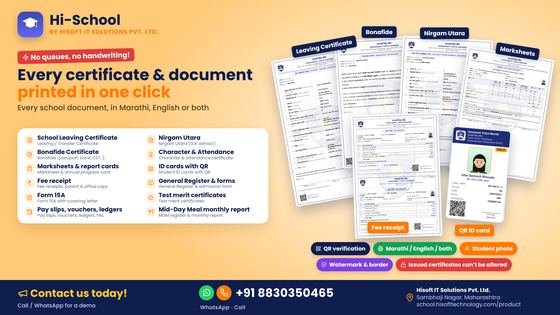
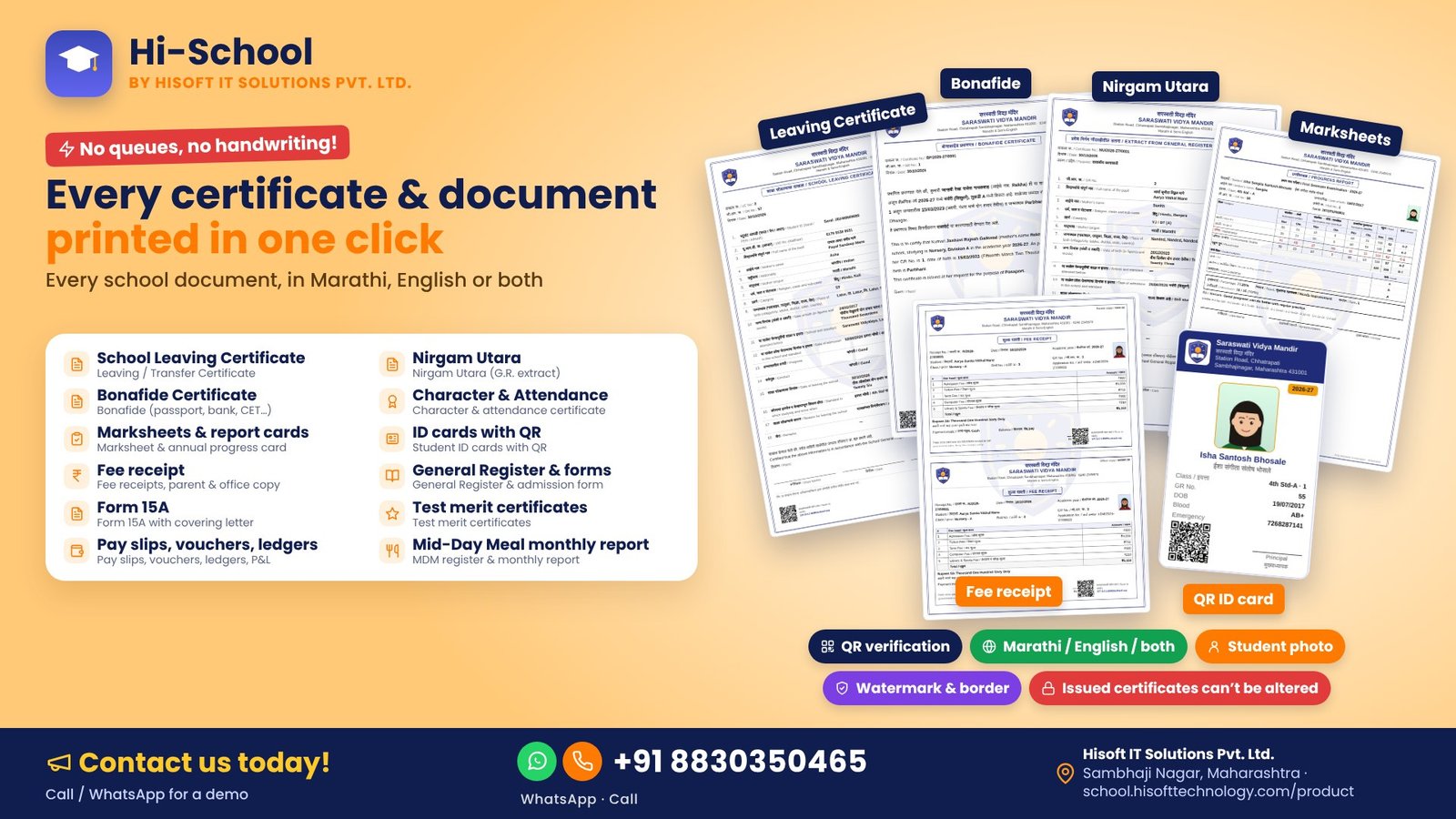
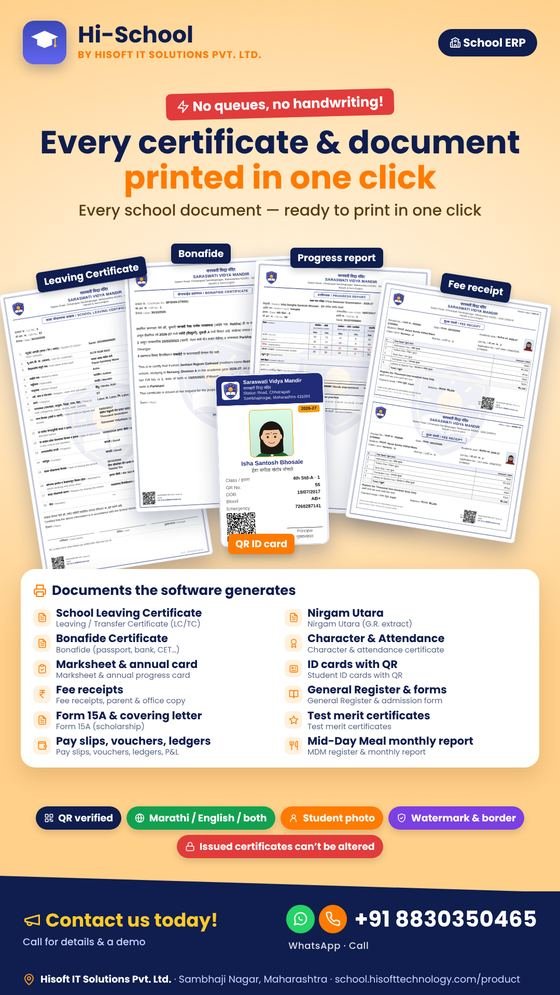
Documents printed by Hi-School

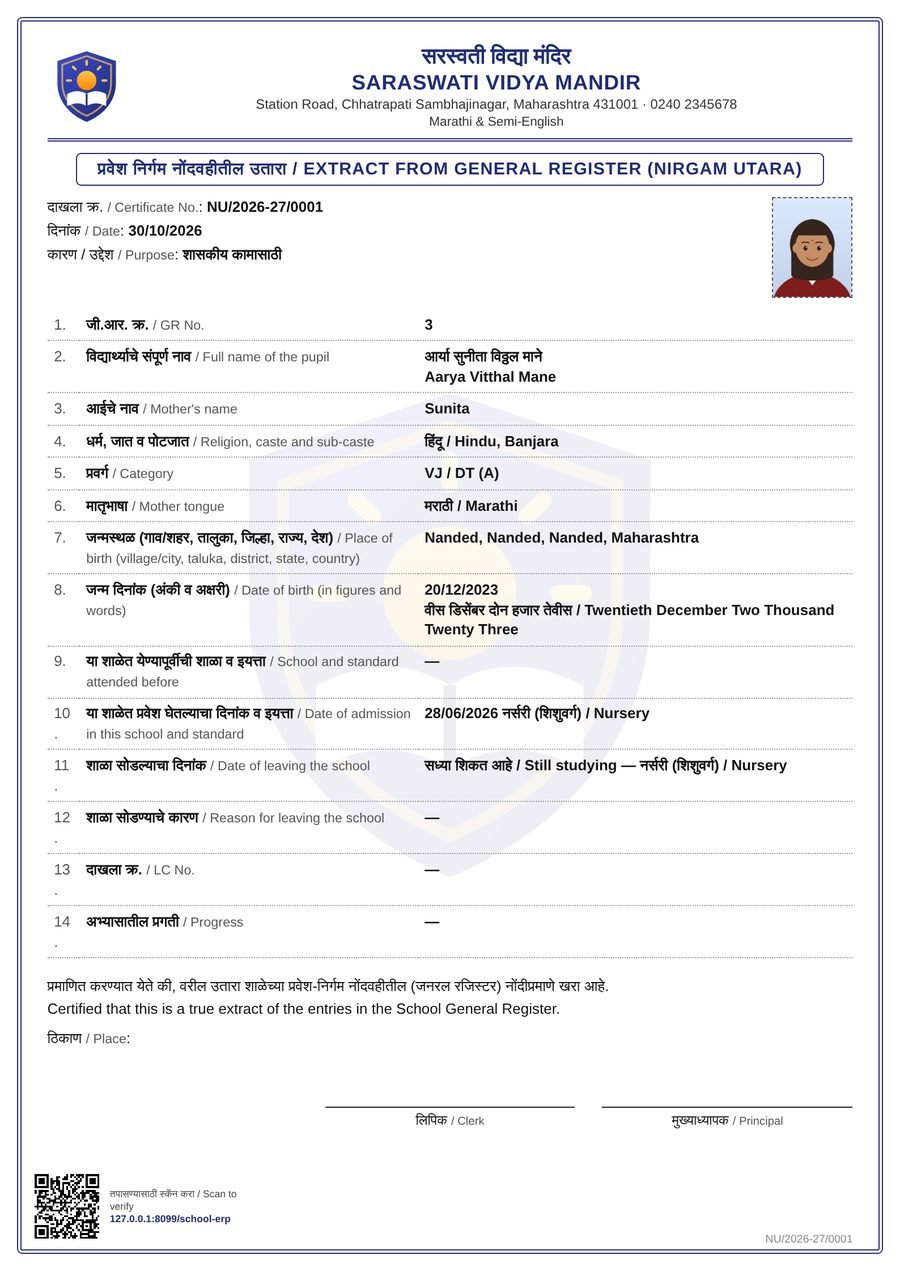
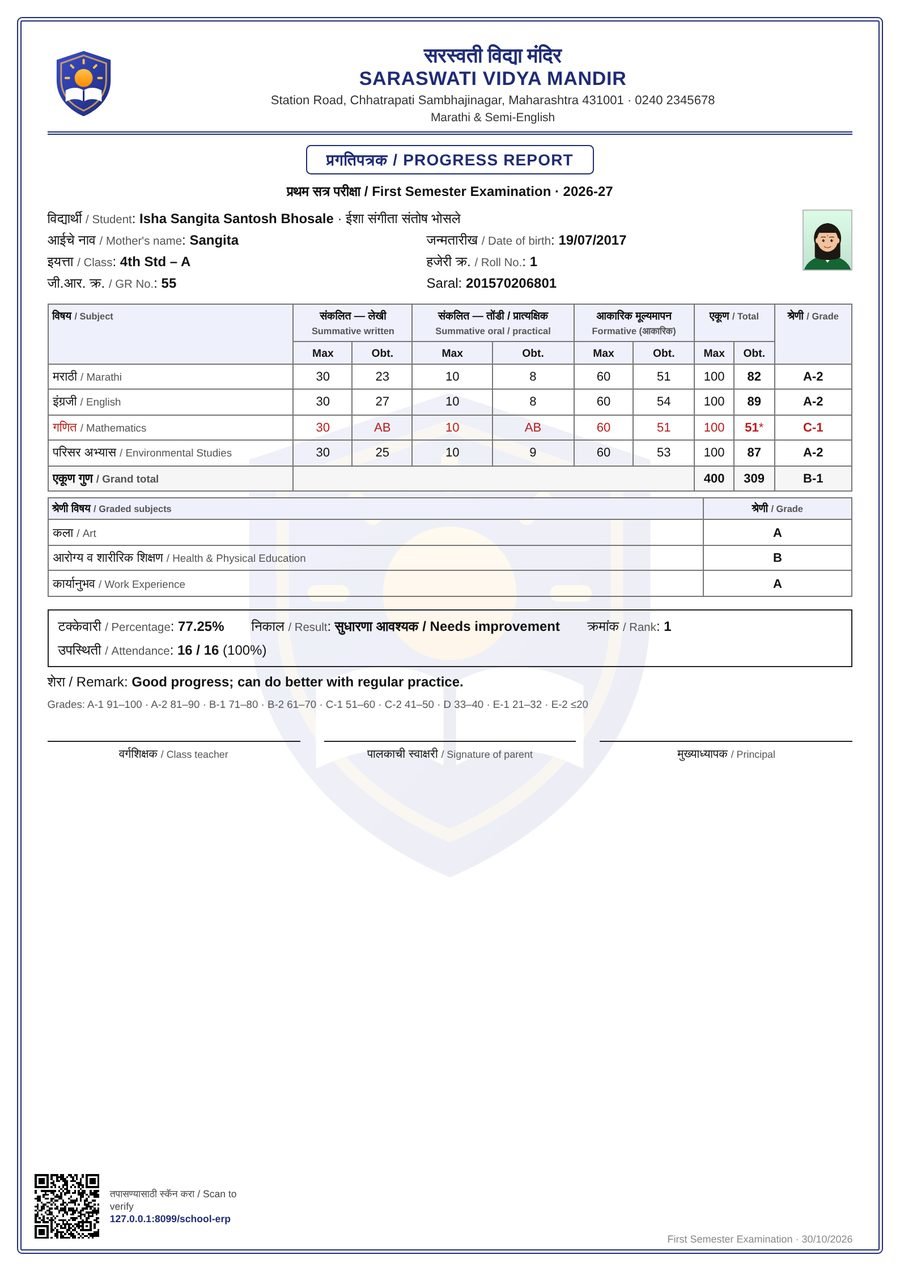
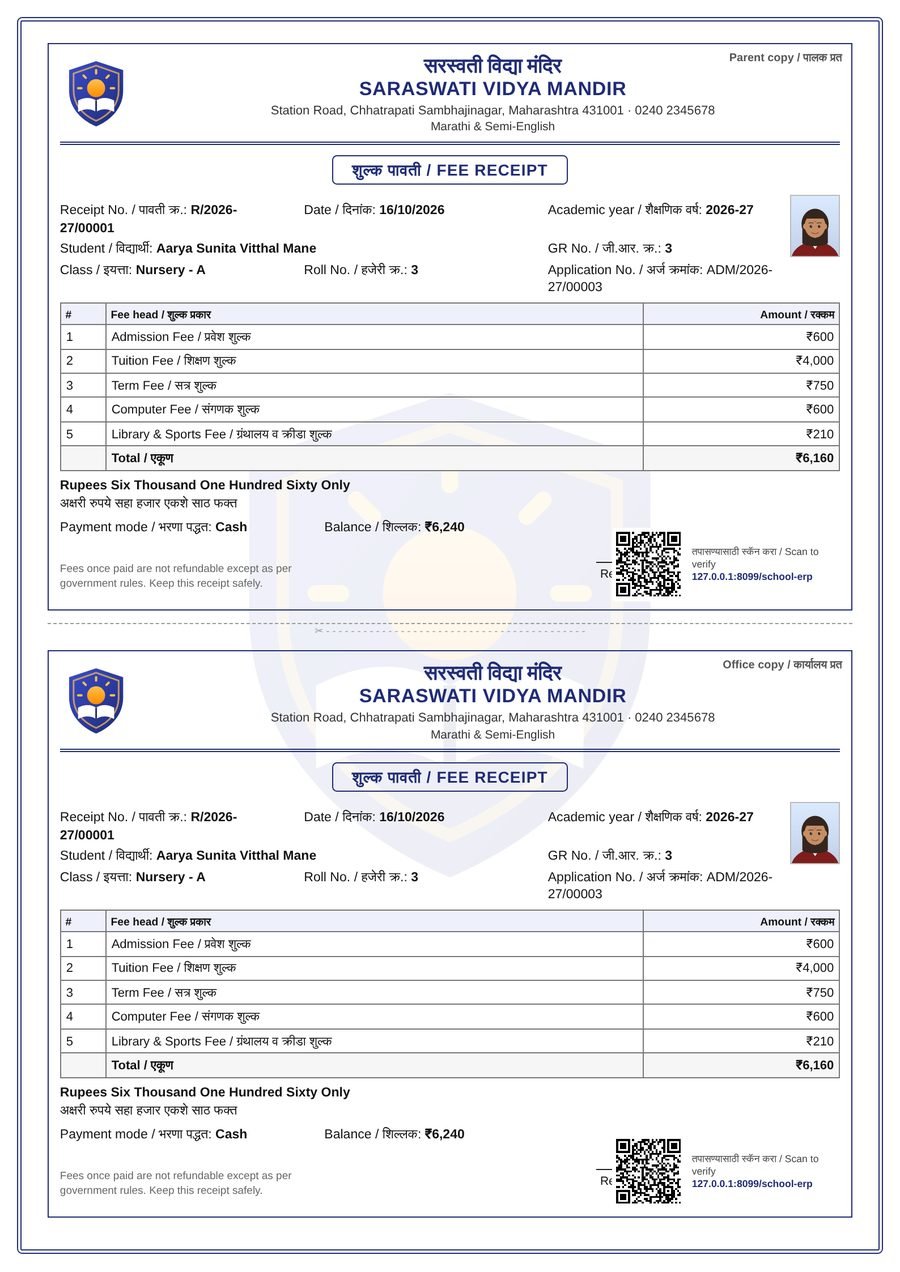
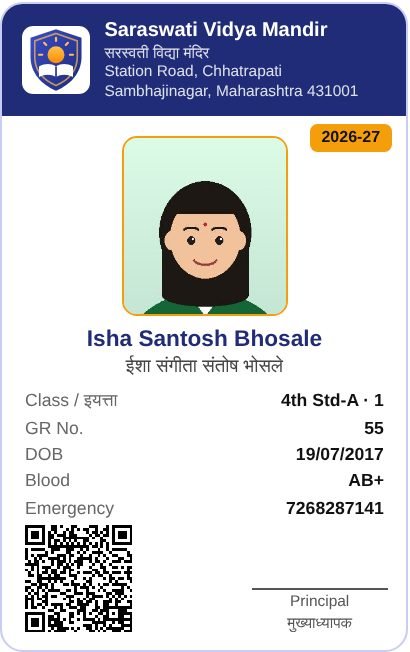
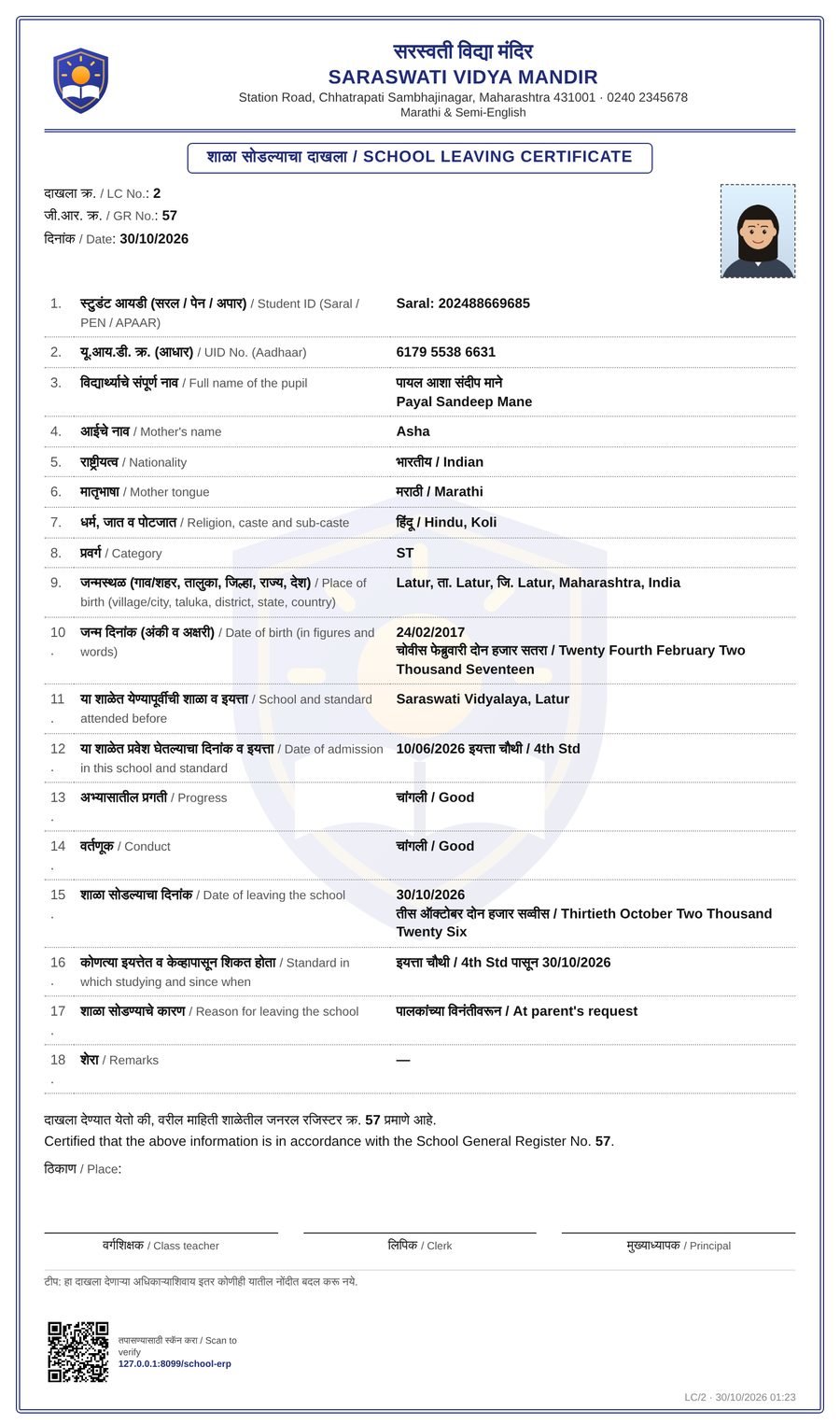
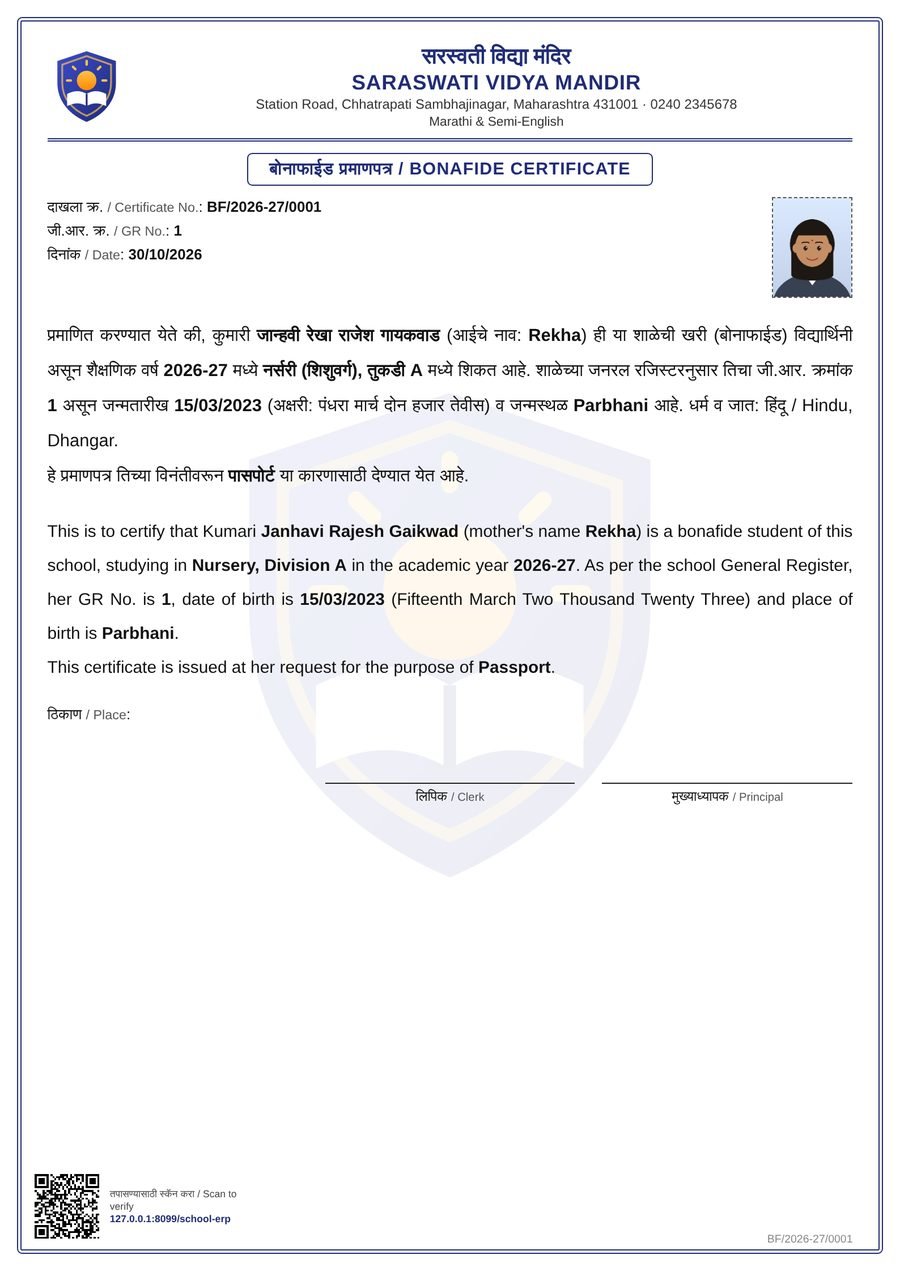
Every document carries the student's photo, a watermark, a border and a QR code that anyone can scan to check it is genuine.
Hi-School — Leaving Certificate
Leaving Certificate
Hi-School — Bonafide Certificate
Bonafide Certificate
Hi-School — Nirgam Utara
Nirgam Utara
Hi-School — Marksheet / progress card
Marksheet / progress card
Hi-School — Fee receipt
Fee receipt
Hi-School — ID card with QR
ID card with QR

Also: character & attendance certificates, Form 15A, General Register, admission form, test certificates, pay slips, vouchers, ledgers and Mid-Day Meal reports.

See the real screens

Screenshots from Hi-School with sample data.
Hi-School Dashboard — Screens show sample data.
Dashboard
Hi-School Collect fees — Screens show sample data.
Collect fees
Hi-School Issue Leaving Certificate — Screens show sample data.
Issue Leaving Certificate
Hi-School Marks entry — Screens show sample data.
Marks entry
Hi-School Attendance register — Screens show sample data.
Attendance register
Hi-School Accounts — Screens show sample data.
Accounts
Hi-School Mid-Day Meal — Screens show sample data.
Mid-Day Meal
Hi-School Online test results — Screens show sample data.
Online test results

Android app for parents & students

Attendance, fees, results, certificates and notices on the phone — with instant notifications.

Hi-School Android app — Home
Home
Hi-School Android app — Fees
Fees
Hi-School Android app — Attendance
Attendance
Hi-School Android app — Results
Results

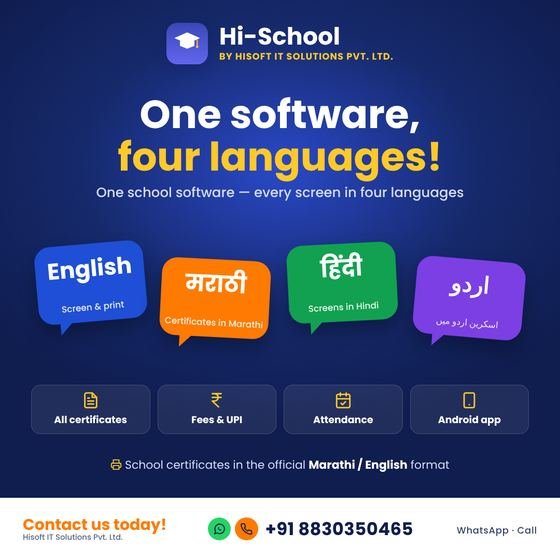
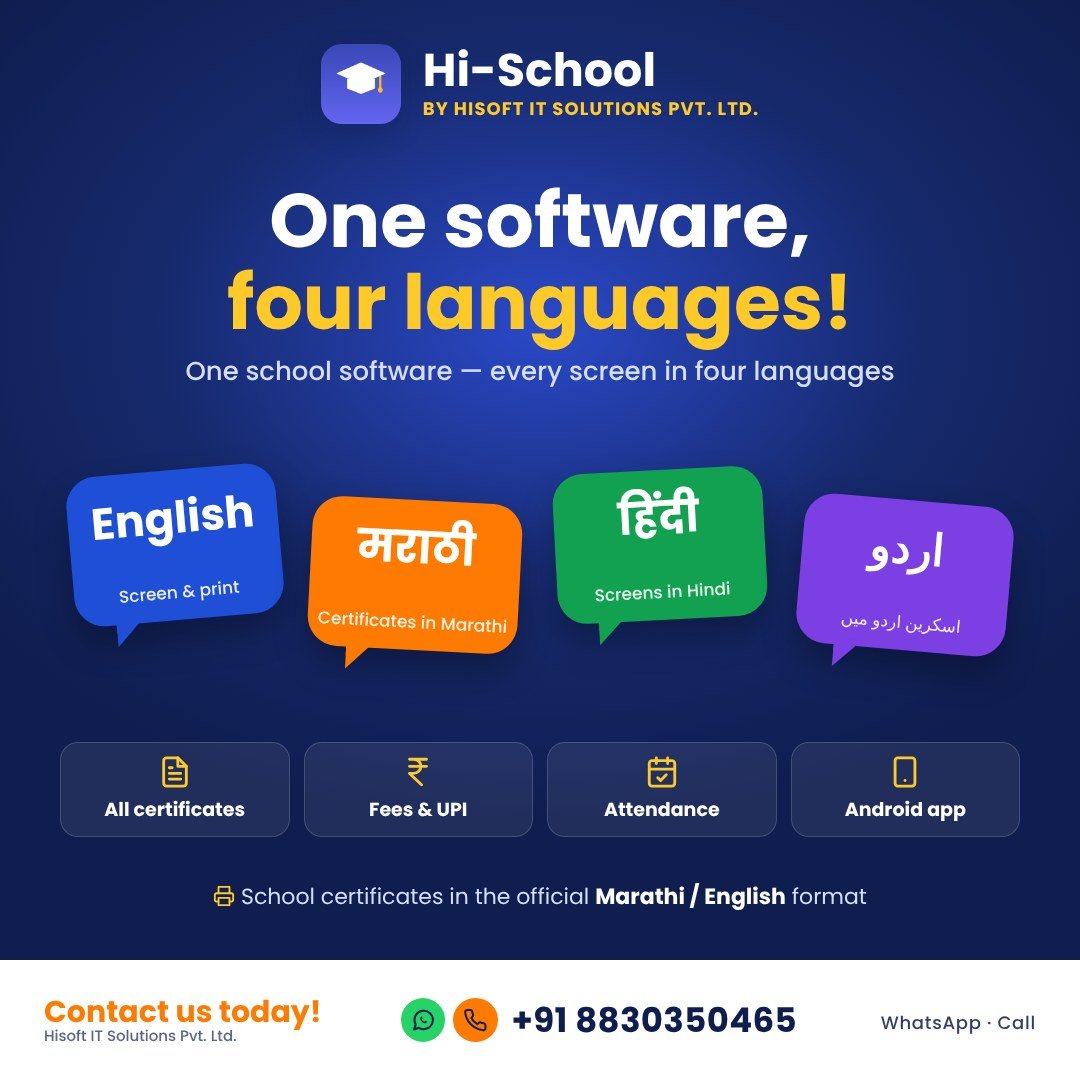
One software, four languages

Every screen in English, मराठी, हिंदी and اردو. Official certificates print in Marathi, English or both.

Englishमराठीहिंदीاردو

Posters & banners to share

Share on WhatsApp, set as your status or download. Pick a language above to get the same posters in that language.
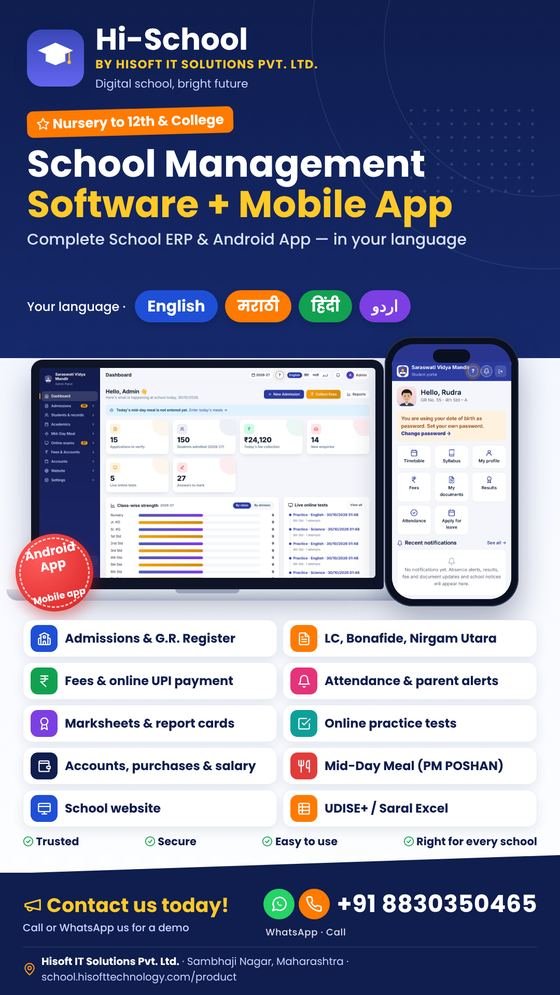
Hi-School Status — Hisoft IT Solutions Pvt. Ltd.
Download
Status · 1080×1920
Hi-School Status — Hisoft IT Solutions Pvt. Ltd.
Download
Status · 1080×1920
Hi-School Status — Hisoft IT Solutions Pvt. Ltd.
Download
Status · 1080×1920
Hi-School Posts — Hisoft IT Solutions Pvt. Ltd.
Download
Posts · 1080×1350
Hi-School Posts — Hisoft IT Solutions Pvt. Ltd.
Download
Posts · 1080×1350
Hi-School Posts — Hisoft IT Solutions Pvt. Ltd.
Download
Posts · 1080×1350
Hi-School Posts — Hisoft IT Solutions Pvt. Ltd.
Download
Posts · 1080×1080
Hi-School Landscape — Hisoft IT Solutions Pvt. Ltd.
Download
Landscape · 1920×1080
Hi-School Landscape — Hisoft IT Solutions Pvt. Ltd.
Download
Landscape · 1920×1080
Hi-School Landscape — Hisoft IT Solutions Pvt. Ltd.
Download
Landscape · 1920×1080
Hi-School Banners — Hisoft IT Solutions Pvt. Ltd.
Download
Banners · 1200×628
Hi-School Banners — Hisoft IT Solutions Pvt. Ltd.
Download
Banners · 3000×1000
Hi-School Complete user guide

Complete user guide

About 110 pages with a screenshot for every screen: what it is for, how to use it step by step, how the data flows, benefits and an example. (110 pages)

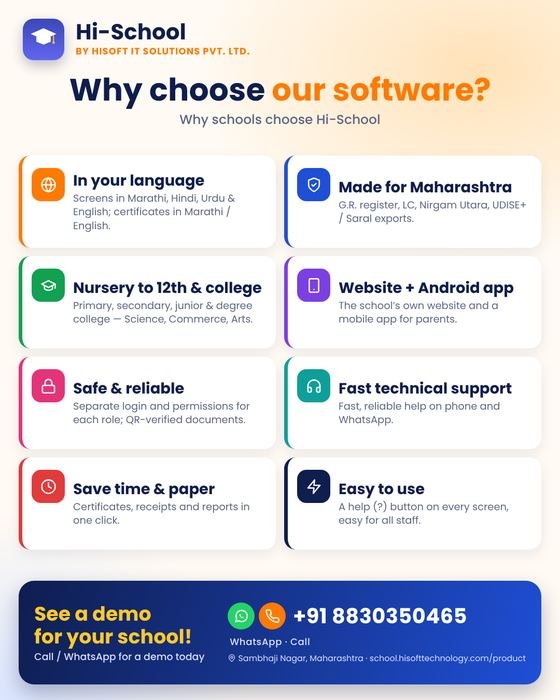
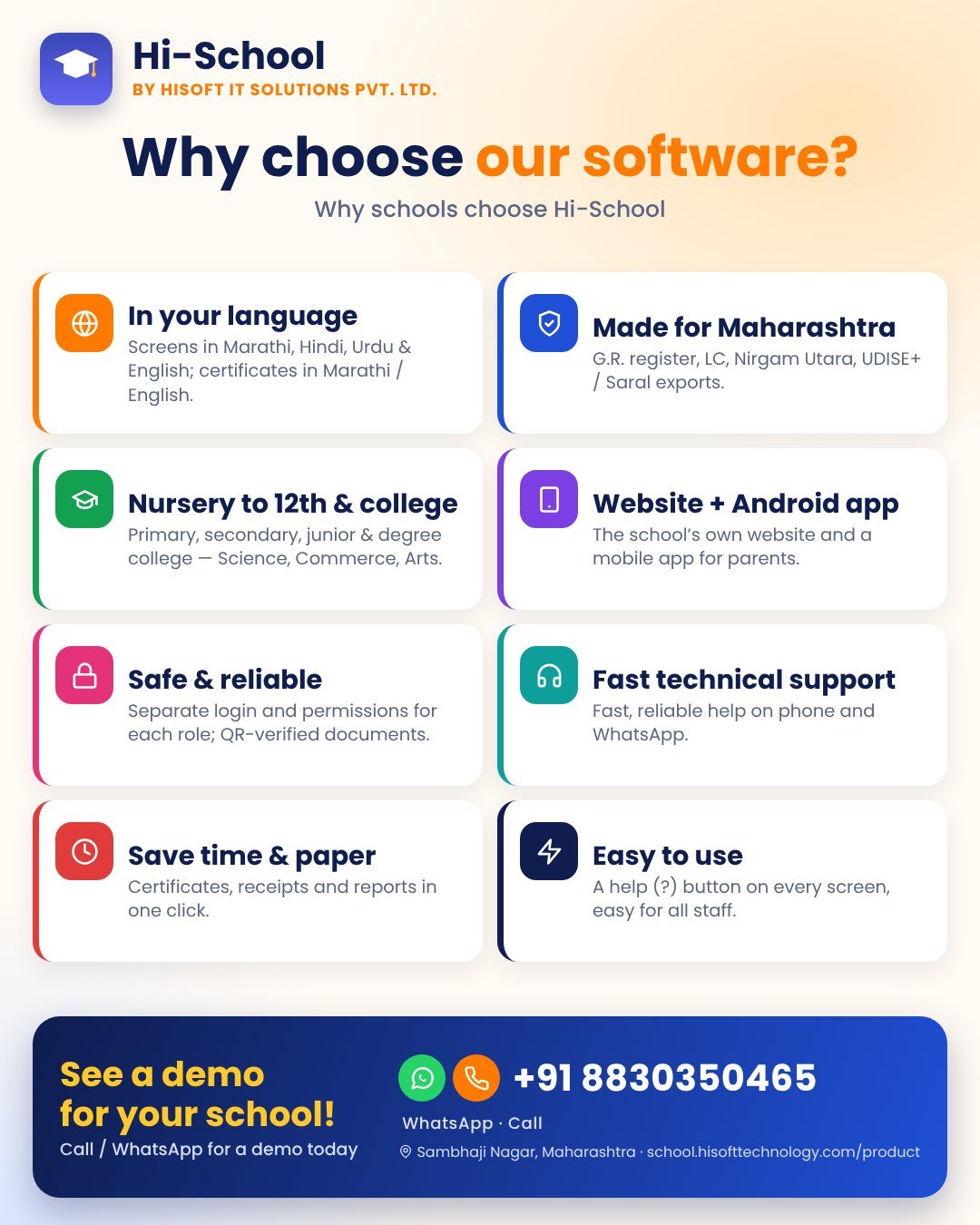
Why schools choose Hi-School

In your language
Made for Maharashtra
Website + Android app
Safe, role-wise login
Saves time & paper
Fast support

Frequently asked questions

Which languages does Hi-School support?

Every screen works in English, Marathi, Hindi and Urdu. Each person can choose their own language. Official certificates print in Marathi, English or both.

Which schools can use it?

Schools and colleges in Maharashtra from Nursery to 12th, junior college and degree college — primary, secondary and higher secondary wings in one system.

Which certificates and documents can we print?

Leaving Certificate, Bonafide, Nirgam Utara, character and attendance certificates, Form 15A, fee receipts, marksheets and annual progress cards, ID cards, General Register, admission forms, pay slips, vouchers, ledgers and Mid-Day Meal reports — with photo, watermark and QR verification.

Is there a mobile app for parents and students?

Yes. The Hi-School Android app shows attendance, fees with online UPI payment, results, certificates and school notices, and sends notifications to the phone.

Can parents pay fees online?

Yes, through UPI, cards or net banking from the app or the school website. The receipt is created at once and the payment appears in the school's collection reports.

Does it help with government portals?

It prepares Excel files for UDISE+, Saral, MahaDBT and APAAR and keeps the IDs (Saral, PEN, APAAR) in each student's record.

Who can see what?

Each person has a separate login. The admin decides what the principal, clerk, accountant and teachers can open, and every change is recorded in the activity log.

How do we get a demo and pricing?

Call or WhatsApp us. We show Hi-School with your own classes and documents and give a quote for your school.

Get a free demo for your school

Call or WhatsApp us — we will show Hi-School with your school's classes and documents.

+91 8830350465

Hisoft IT Solutions Pvt. Ltd. · Sambhaji Nagar, Maharashtra